HDFC Bank Demat Account Login: A Complete Guide to HDFC Securities Trading Platform

Logging into your HDFC Securities demat account shouldn’t feel like solving a puzzle. Whether you’re a seasoned trader or just starting your investment journey, understanding the login process and navigating the platform efficiently can save you time and help you make better trading decisions.

Let me walk you through everything you need to know about accessing your HDFC Sky demat account, the desktop trading platform, and the mobile app—all from the perspective of someone who’s been navigating Indian stock markets for over two decades.

HDFC Sky Trading Platform Image

Understanding HDFC Securities: Your Gateway to Stock Market Investing

HDFC Securities is the stockbroking arm of HDFC Bank, one of India’s most trusted financial institutions. As a full-service broker registered with SEBI (Securities and Exchange Board of India), it offers trading across equity, derivatives, commodities, currencies, mutual funds, and IPOs.

The platform has evolved significantly over the years. What started as a traditional brokerage has transformed into a tech-savvy trading ecosystem called HDFC Sky—a platform designed to make investing accessible, transparent, and efficient.

How to Login to Your HDFC Bank Demat Account
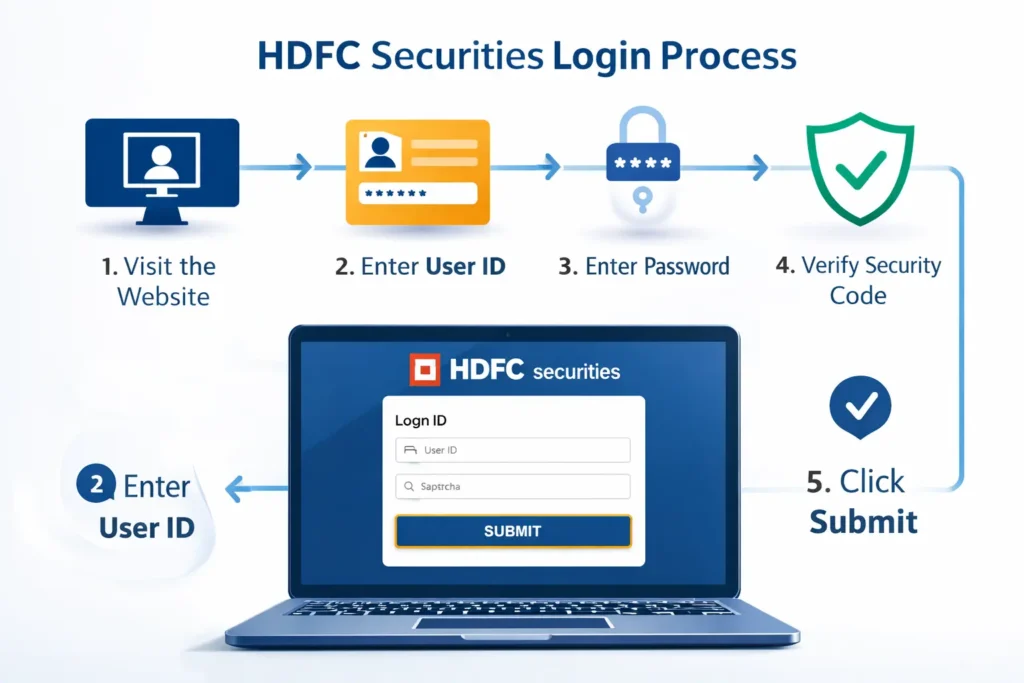
Image Of HDFC Sky Login Process

The login process for HDFC Securities is straightforward, but there are multiple access points depending on your preference and device.

Web-Based Login (HDFCSec Login)

For desktop users, the primary login portal is available at the official HDFC Securities website. Here’s the step-by-step process:

  1. Visit the HDFC Securities official website
  2. Click on the “Login” button at the top right corner
  3. Enter your User ID (typically your trading account number)
  4. Input your password
  5. Complete the security verification (if prompted)
  6. Click “Submit” to access your account

The web platform gives you a comprehensive dashboard showing your portfolio, holdings, profit/loss statements, and market insights. I’ve found this particularly useful when I need to conduct detailed research or analyze multiple stocks simultaneously.

HDFC Sec Desktop Login: The Trader’s Choice

Serious traders often prefer the desktop application because it offers advanced charting tools, real-time streaming quotes, and faster order execution. The HDFC Sky desktop platform is built for those who need professional-grade features.

To use the desktop version:

  1. Download the HDFC Sky desktop application from the official website
  2. Install it on your Windows or Mac computer
  3. Launch the application
  4. Enter your credentials (same as web login)
  5. You’ll have access to advanced features like customizable watchlists, technical indicators, and multi-window layouts

What makes the desktop platform stand out is its speed. During volatile market sessions—and believe me, I’ve traded through plenty of them—every second counts. The desktop application reduces latency compared to web-based trading.

HDFC Sky Demat Account Login via Mobile App
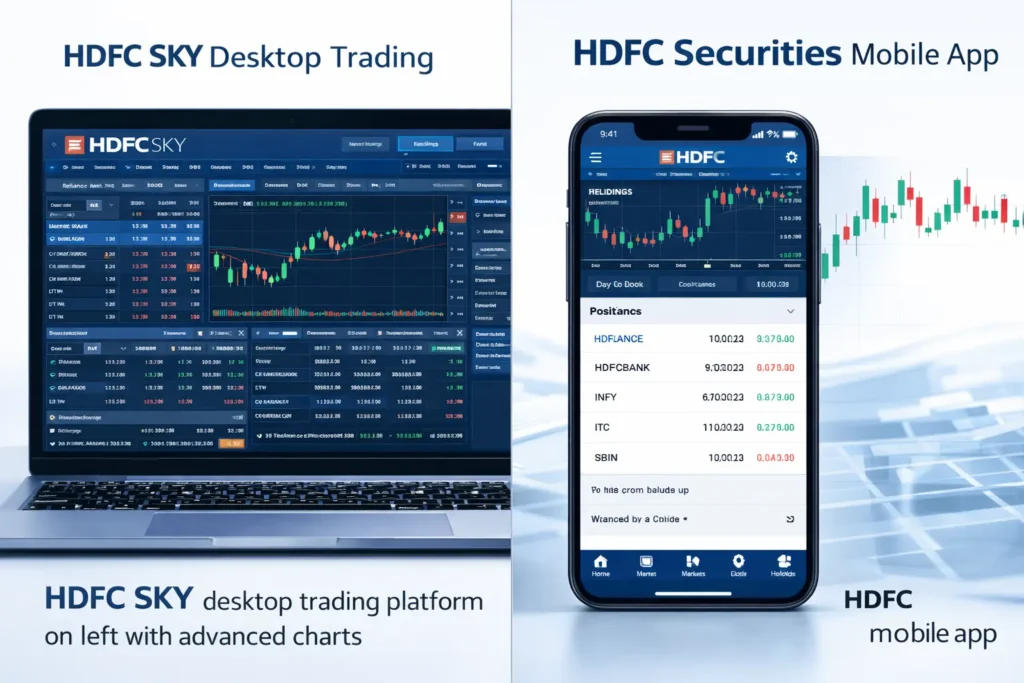
Image Of Desktop vs Mobile Comparison

The HDFC Securities trading app has become my go-to option for monitoring markets on the move. Available on both Android and iOS, the app brings most desktop features to your smartphone.

Download the app from Google Play Store or Apple App Store, install it, and log in using your existing credentials. The mobile experience is smooth, with intuitive navigation and quick access to essential functions like placing orders, checking holdings, and viewing market news.

One feature I particularly appreciate is the fingerprint and face ID login option—it’s secure and eliminates the hassle of typing passwords repeatedly.

Troubleshooting Common Login Issues

Even the best platforms have occasional hiccups. Here are solutions to common problems:

  • Forgot Password: Use the “Forgot Password” link on the login page. You’ll need your registered mobile number and email ID to reset it.
  • Account Locked: After multiple incorrect login attempts, your account may get temporarily locked for security reasons. Contact HDFC Securities customer care at their toll-free number for assistance.
  • Technical Errors: Clear your browser cache, ensure you’re using an updated browser, or try a different device. Sometimes, scheduled maintenance can also affect access—usually communicated in advance.

According to HDFC Securities’ official support documentation, most login issues are resolved within 24 hours of reporting.

Understanding HDFC Sky Brokerage Structure
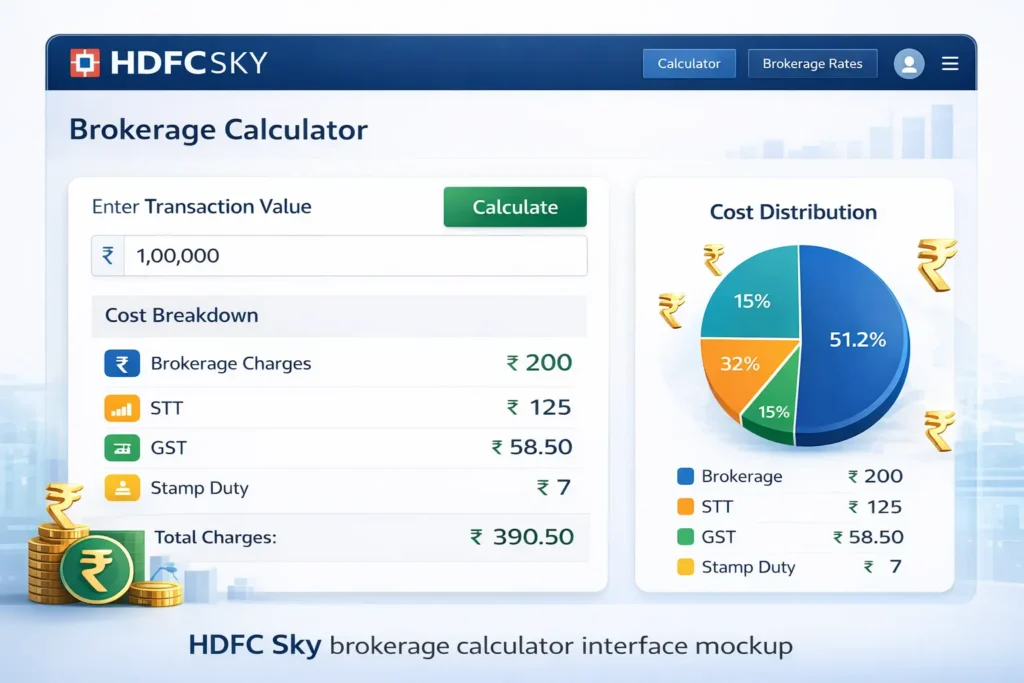
Image Of HDFC Sky Calculator

Before you start trading actively, understanding the cost structure is crucial. This is where the HDFC Sky Brokerage Calculator becomes an invaluable tool.

HDFC Securities operates on multiple pricing plans:

  • Classic Plan: Suitable for occasional traders with brokerage charged as a percentage of transaction value.
  • Privilege Plan: Fixed brokerage per order, ideal for active traders.
  • Elite Plan: For high-volume traders with the lowest per-trade costs.

The brokerage calculator helps you estimate your trading costs before placing orders. Simply input your trade value, select your plan, and the calculator shows the exact brokerage, STT (Securities Transaction Tax), GST, stamp duty, and other charges.

I always recommend using this calculator, especially when planning large trades. It eliminates surprises and helps you calculate your actual profit margins. You can access the HDFC Sky Brokerage Calculator through the tools section on the HDFC Securities website or mobile app.

Features That Make HDFC Sky Stand Out

Having worked with multiple brokers over my career, I can tell you that HDFC Securities offers some genuinely useful features:

  • Research Reports: The platform provides regular equity research reports, sector updates, and stock recommendations from their in-house analyst team. While I always conduct my own analysis, these reports offer valuable perspectives.
  • Margin Trading Facility (MTF): For experienced traders, HDFC Securities offers leverage through MTF, allowing you to buy more stocks than your available cash balance. However, use this cautiously—leverage amplifies both gains and losses.
  • IPO Application: Applying for IPOs is seamless through the platform. The entire process, from application to allotment, is managed within your demat account.
  • Portfolio Analytics: The platform tracks your portfolio performance, generates tax reports, and provides insights into your investment patterns. During tax season, this feature is a lifesaver.

Security Measures You Should Know

Security Features Diagram

HDFC Securities implements multiple security layers to protect your account:

  • Two-factor authentication for login
  • Transaction passwords for order placement
  • End-to-end encryption for data transmission
  • Regular security audits as per SEBI guidelines

Despite these measures, practice basic security hygiene: never share your login credentials, avoid using public Wi-Fi for trading, and log out after each session—especially on shared devices.

Making the Most of Your Trading Experience

The difference between average traders and successful ones often lies in how they use their tools. Here are some practical tips:

  • Set Up Alerts: Use the alert feature to track specific price levels or percentage movements. This keeps you informed without constantly watching the screen.
  • Create Multiple Watchlists: Organize stocks by sectors, trading strategies, or investment horizons. This organization saves time during market hours.
  • Review Contract Notes: Always download and review your contract notes after trading. These documents are essential for tax filing and record-keeping.
  • Understand Your Holdings: Regularly check your holdings statement to ensure all transactions are accurately reflected in your demat account.

When to Contact Customer Support

HDFC Securities offers support through multiple channels:

  • Phone support (toll-free number available on their website)
  • Email support for non-urgent queries
  • Live chat during market hours
  • Branch visits for complex issues

In my experience, their response times are reasonable, typically within 24-48 hours for email queries and immediate for phone support during trading hours.

Final Thoughts

The HDFC Sky platform, whether accessed through web login, desktop application, or mobile app, provides a comprehensive trading solution backed by HDFC’s trusted brand. The login process is designed to be secure yet convenient, and the platform’s features cater to traders across experience levels.

Remember, technology is just an enabler. Your success in the stock market depends on research, discipline, and a well-thought-out strategy. Use tools like the HDFC Sky Brokerage Calculator to understand your costs, stay updated with market news, and make informed decisions.

The Indian stock market offers tremendous opportunities, and having a reliable trading platform is your first step toward capitalizing on them. HDFC Securities, with its robust infrastructure and comprehensive features, certainly provides that foundation.

FAQs

  1. Q1. Is HDFC Bank demat account good?

    Yes, HDFC Securities demat account is considered one of the best options in India for several reasons:
    1. Trusted Brand: Backed by HDFC Bank, one of India’s largest and most trusted financial institutions
    2. SEBI Registered: Full-service broker registered with Securities and Exchange Board of India
    3. Comprehensive Platform: HDFC Sky offers trading across equity, derivatives, commodities, currencies, mutual funds, and IPOs
    4. Advanced Tools: Professional charting tools, research reports, and portfolio analytics
    5. Multiple Access Points: Web, desktop application, and mobile app for convenient trading
    The platform is particularly suitable for both beginners and experienced traders who value reliability and comprehensive features.

  2. Q2. Is HDFC demat account free?

    HDFC Securities demat account is not entirely free. Here’s the cost structure:
    1. Account Opening Charges: Applicable as per the current pricing (check official website for latest charges)
    2. Annual Maintenance Charges (AMC): Charged yearly for maintaining your demat account
    3. Brokerage Charges: Depends on your chosen plan (Classic, Privilege, or Elite)
    4. Transaction Charges: STT, GST, stamp duty, and other regulatory charges apply
    However, HDFC Securities occasionally runs promotional offers with reduced or waived account opening fees. I recommend checking their official website or contacting customer support for the most current pricing structure.

  3. Q3. Is HDFC demat account safe?

    Absolutely. HDFC Securities implements robust security measures:
    a) Two-Factor Authentication: Additional security layer beyond username and password.
    b) End-to-End Encryption: All data transmission is encrypted to prevent unauthorized access.
    c) Transaction Passwords: Separate password required for placing orders.
    d) SEBI Compliance: Follows all regulatory guidelines set by Securities and Exchange Board of India.
    e) Regular Security Audits: Platform undergoes periodic security assessments.
    f) Depository Protection: Your securities are held with NSDL/CDSL, India’s authorized depositories.
    HDFC Securities maintains one of the highest security standards in the Indian brokerage industry. However, always practice basic security hygiene like never sharing credentials and avoiding public Wi-Fi for trading.

  4. Q4. What is HDFC Bank demat account?

    HDFC Bank demat account, operated through HDFC Securities, is an electronic account that holds your shares and securities in digital format. Think of it as a digital locker for your investments.
    Key Features:
    1. Eliminates physical share certificates.
    2. Facilitates quick buying and selling of securities.
    3. Provides safe storage of stocks, bonds, mutual funds, and government securities.
    4. Enables seamless trading across multiple asset classes.
    5. Offers integrated portfolio tracking and management.
    The demat account is linked to your trading account and bank account, creating a seamless ecosystem for investing in Indian stock markets.

  5. Q5. What is my HDFC demat account number?

    Your HDFC demat account number is a unique 16-digit identification number. Here’s how to find it:
    A) Method 1 – Through Mobile App:
    a) Log in to HDFC Securities mobile app.
    b) Go to “Profile” or “Account Details” section.
    c) Your demat account number will be displayed (starts with IN followed by 14 digits).
    B) Method 2 – Through Web Platform:
    a) Log in to HDFC Securities website.
    b) Navigate to “My Account” or “Profile” section.
    c) Your account details page will show your demat account number.
    C) Method 3 – Account Opening Documents:
    a) Check your account opening confirmation email.
    b) Review your welcome kit received during account opening.
    c) Look at any contract note or holding statement.
    The demat account number typically follows the format: IN + DP ID + Client ID.

  6. Q6. What is login ID for HDFC demat account?

    Your HDFC demat account login ID is typically your trading account number provided during account opening. Here’s what you need to know:
    A) Login Credentials Structure:
    1. User ID: Your unique trading account number (usually numeric).
    2. Password: Set by you during first-time login or account activation.
    B) Where to Find Your Login ID:
    1. Account opening confirmation email.
    2. Welcome kit sent by HDFC Securities.
    3. SMS received during account activation.
    4. Contact customer support if you’ve forgotten it.
    Important Note: Your login ID for the trading platform may differ from your demat account number. The login ID is used to access HDFC Sky platform, while the demat account number is used for holding securities.

  7. Q7. Does HDFC Bank have demat account?

    Yes, HDFC Bank offers demat account services through its subsidiary HDFC Securities Ltd. Here’s the relationship:
    A) HDFC Bank: The parent banking institution.
    B) HDFC Securities: The stockbroking arm that provides demat and trading services.
    While HDFC Bank handles your savings account, loans, and banking services, HDFC Securities manages your demat account and trading activities. Both work seamlessly together, allowing you to:
    1. Link your HDFC Bank savings account for instant fund transfer.
    2. Enjoy integrated banking and trading experience.
    3. Access unified customer support.
    4. Benefit from the trust and reliability of the HDFC brand.

  8. Q8. How HDFC demat account works?

    Understanding how your HDFC demat account functions is crucial for effective trading:
    1. The Ecosystem: Your investment setup consists of three linked accounts:
    2. Bank Account (HDFC Bank or any other bank) – Source of funds
    3. Trading Account (HDFC Securities) – For placing buy/sell orders
    4. Demat Account (linked with NSDL/CDSL) – For holding securities
    The Trading Process:
    When You Buy Shares:
    1. You place a buy order through HDFC Sky platform
    2. Funds are debited from your linked bank account
    3. On settlement (T+2 days), shares are credited to your demat account
    4. You receive a contract note confirming the transaction
    When You Sell Shares:
    1. You place a sell order from your demat holdings
    2. Shares are debited from your demat account
    3. On settlement (T+2 days), sale proceeds are credited to your bank account
    4. Contract note confirms the sale transaction
    Key Features:
    1. Dematerialization: Physical shares converted to electronic form
    2. Automatic Settlement: Shares transferred electronically between buyers and sellers
    3. Consolidated Holding: All securities in one account
    4. Corporate Actions: Dividends, bonuses automatically credited
    Charges Involved:
    1. Brokerage on trades
    2. STT (Securities Transaction Tax)
    3. GST on brokerage
    4. SEBI turnover charges
    5. Stamp duty
    6. DP (Depository Participant) charges for selling.

  9. Q9. HDFC bank demat account opening online?

    Opening an HDFC Securities demat account online is now completely digital:
    Eligibility Requirements:
    1. Indian resident (NRI accounts have different process)
    2. Age 18 years or above
    3. Valid PAN card
    4. Aadhaar card for e-KYC
    5. Active bank account
    6. Valid email ID and mobile number.

    Online Account Opening Process:
    A) Step 1 – Visit Official Website:
    Go to HDFC Securities official website.
    Click on “Open Account” or “Start Investing”.
    B) Step 2 – Fill Application Form:
    Enter personal details (name, DOB, contact information).
    Provide PAN card number.
    Enter Aadhaar number for instant e-KYC.
    C) Step 3 – Document Verification:
    Upload PAN card image.
    Complete Aadhaar-based e-KYC (paperless).
    Provide bank account details.
    Upload photograph and signature.
    D) Step 4 – Choose Account Type:
    Select individual/joint account.
    Choose brokerage plan (Classic/Privilege/Elite).
    Review applicable charges.
    E) Step 5 – E-Sign Documents:
    Review terms and conditions.
    Digitally sign application using Aadhaar-based e-sign.
    No physical documents required.
    F) Step 6 – Video KYC (If Required):
    Complete video verification call.
    Show original documents to verification officer.
    Process takes 5-10 minutes.
    G) Step 7 – Account Activation:
    Receive account credentials via email/SMS.
    Typically activated within 24-48 hours.
    Login and start trading.
    H) Documents Required:
    PAN Card (mandatory).
    Aadhaar Card (for e-KYC).
    Bank account proof (cancelled cheque or bank statement).
    Photograph.
    Signature.
    I) Account Opening Charges:
    Check current fees on official website (subject to change).
    Often waived during promotional periods.
    Annual maintenance charges apply.
    J) Post-Opening Steps:
    Complete first-time login and set password.
    Link bank account for fund transfer.
    Enable online trading.
    Download mobile app for convenient access.
    Start with small investments to understand the platform.
    K) Timeline:
    Application submission: 15-20 minutes.
    Verification: 24-48 hours.
    Account activation: 2-3 working days.
    Ready to trade: Within a week.


Disclaimer: This article is for informational purposes only and should not be considered as investment advice. Stock market investments are subject to market risks. Please read all scheme-related documents carefully before investing and consult with a qualified financial advisor for personalized guidance.

Leave a Comment

Scroll to Top