
Logging into your HDFC Securities demat account shouldn’t feel like solving a puzzle. Whether you’re a seasoned trader or just starting your investment journey, understanding the login process and navigating the platform efficiently can save you time and help you make better trading decisions.
Let me walk you through everything you need to know about accessing your HDFC Sky demat account, the desktop trading platform, and the mobile app—all from the perspective of someone who’s been navigating Indian stock markets for over two decades.

Understanding HDFC Securities: Your Gateway to Stock Market Investing
HDFC Securities is the stockbroking arm of HDFC Bank, one of India’s most trusted financial institutions. As a full-service broker registered with SEBI (Securities and Exchange Board of India), it offers trading across equity, derivatives, commodities, currencies, mutual funds, and IPOs.
The platform has evolved significantly over the years. What started as a traditional brokerage has transformed into a tech-savvy trading ecosystem called HDFC Sky—a platform designed to make investing accessible, transparent, and efficient.
How to Login to Your HDFC Bank Demat Account
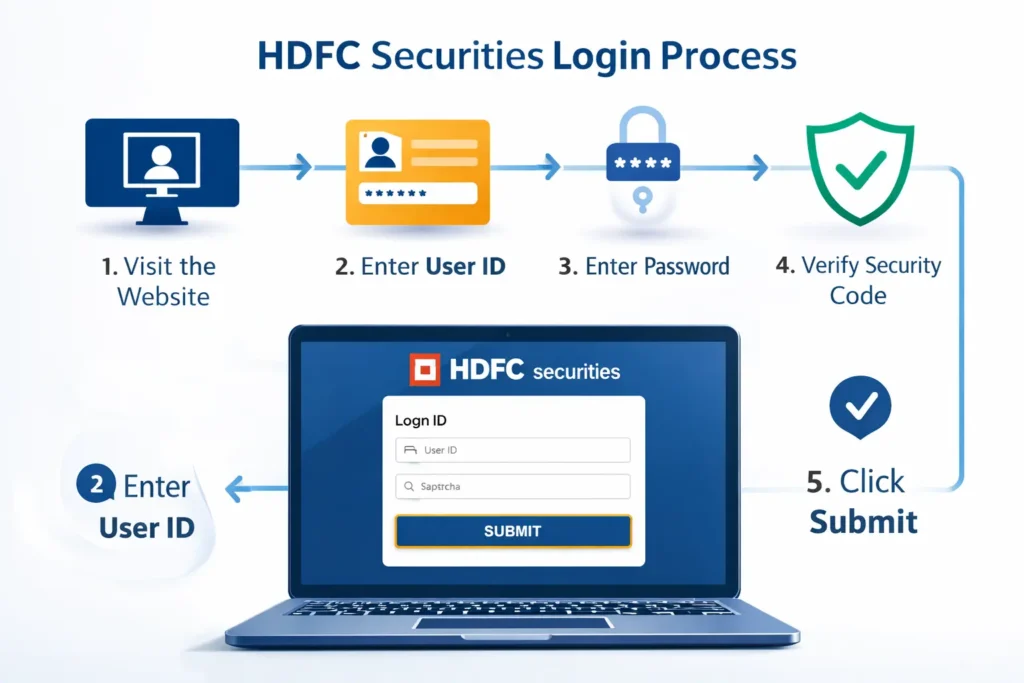
The login process for HDFC Securities is straightforward, but there are multiple access points depending on your preference and device.
Web-Based Login (HDFCSec Login)
For desktop users, the primary login portal is available at the official HDFC Securities website. Here’s the step-by-step process:
- Visit the HDFC Securities official website
- Click on the “Login” button at the top right corner
- Enter your User ID (typically your trading account number)
- Input your password
- Complete the security verification (if prompted)
- Click “Submit” to access your account
The web platform gives you a comprehensive dashboard showing your portfolio, holdings, profit/loss statements, and market insights. I’ve found this particularly useful when I need to conduct detailed research or analyze multiple stocks simultaneously.
HDFC Sec Desktop Login: The Trader’s Choice
Serious traders often prefer the desktop application because it offers advanced charting tools, real-time streaming quotes, and faster order execution. The HDFC Sky desktop platform is built for those who need professional-grade features.
To use the desktop version:
- Download the HDFC Sky desktop application from the official website
- Install it on your Windows or Mac computer
- Launch the application
- Enter your credentials (same as web login)
- You’ll have access to advanced features like customizable watchlists, technical indicators, and multi-window layouts
What makes the desktop platform stand out is its speed. During volatile market sessions—and believe me, I’ve traded through plenty of them—every second counts. The desktop application reduces latency compared to web-based trading.
HDFC Sky Demat Account Login via Mobile App
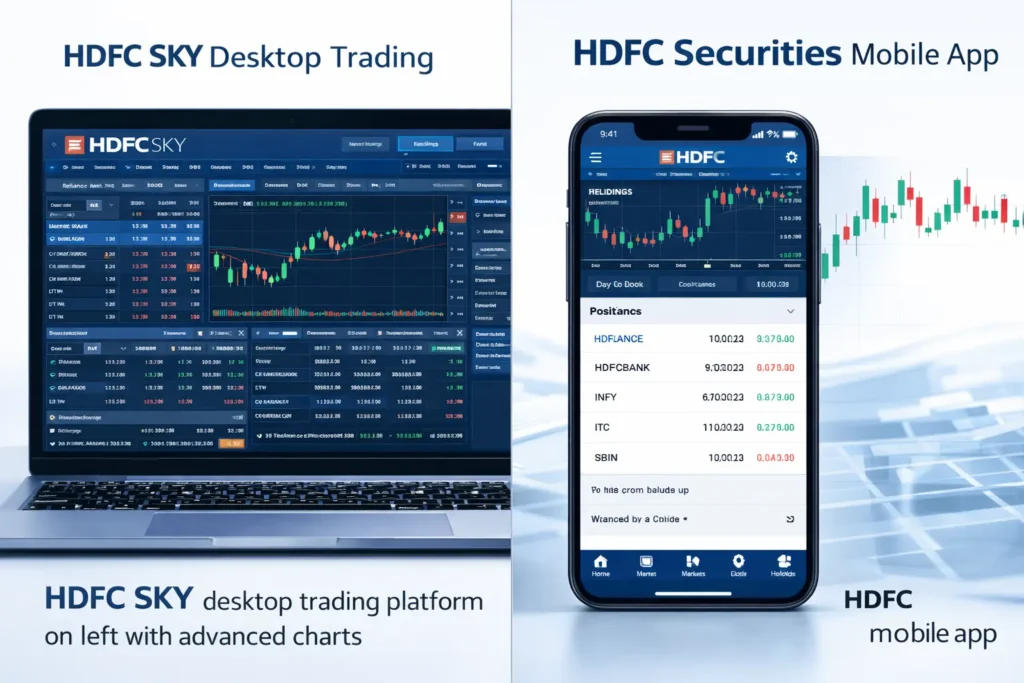
The HDFC Securities trading app has become my go-to option for monitoring markets on the move. Available on both Android and iOS, the app brings most desktop features to your smartphone.
Download the app from Google Play Store or Apple App Store, install it, and log in using your existing credentials. The mobile experience is smooth, with intuitive navigation and quick access to essential functions like placing orders, checking holdings, and viewing market news.
One feature I particularly appreciate is the fingerprint and face ID login option—it’s secure and eliminates the hassle of typing passwords repeatedly.
Troubleshooting Common Login Issues
Even the best platforms have occasional hiccups. Here are solutions to common problems:
- Forgot Password: Use the “Forgot Password” link on the login page. You’ll need your registered mobile number and email ID to reset it.
- Account Locked: After multiple incorrect login attempts, your account may get temporarily locked for security reasons. Contact HDFC Securities customer care at their toll-free number for assistance.
- Technical Errors: Clear your browser cache, ensure you’re using an updated browser, or try a different device. Sometimes, scheduled maintenance can also affect access—usually communicated in advance.
According to HDFC Securities’ official support documentation, most login issues are resolved within 24 hours of reporting.
Understanding HDFC Sky Brokerage Structure
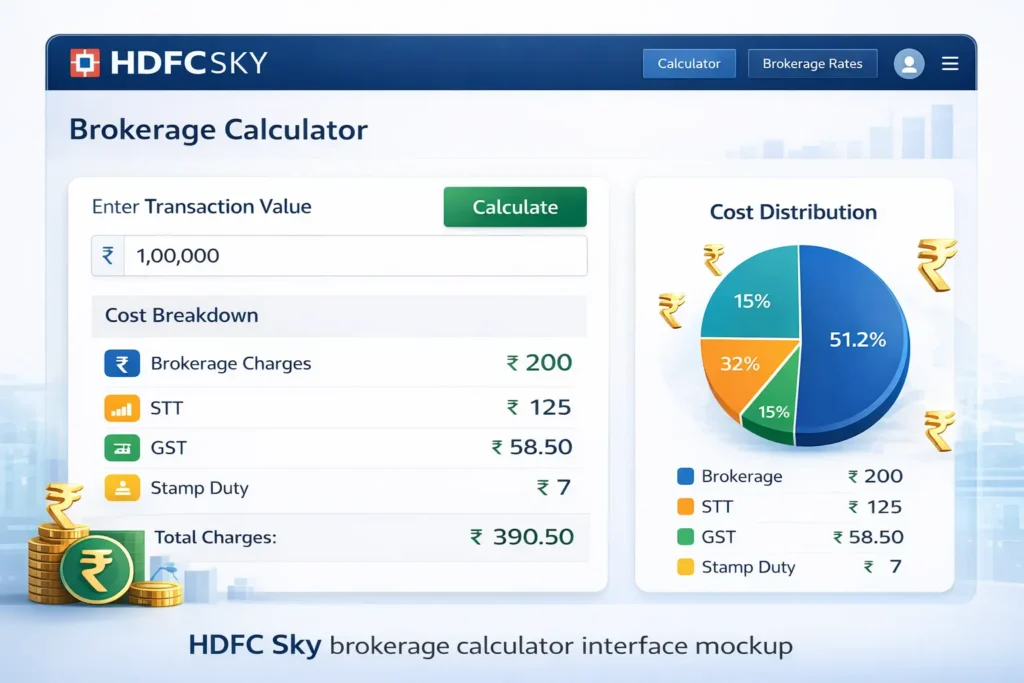
Before you start trading actively, understanding the cost structure is crucial. This is where the HDFC Sky Brokerage Calculator becomes an invaluable tool.
HDFC Securities operates on multiple pricing plans:
- Classic Plan: Suitable for occasional traders with brokerage charged as a percentage of transaction value.
- Privilege Plan: Fixed brokerage per order, ideal for active traders.
- Elite Plan: For high-volume traders with the lowest per-trade costs.
The brokerage calculator helps you estimate your trading costs before placing orders. Simply input your trade value, select your plan, and the calculator shows the exact brokerage, STT (Securities Transaction Tax), GST, stamp duty, and other charges.
I always recommend using this calculator, especially when planning large trades. It eliminates surprises and helps you calculate your actual profit margins. You can access the HDFC Sky Brokerage Calculator through the tools section on the HDFC Securities website or mobile app.
Features That Make HDFC Sky Stand Out
Having worked with multiple brokers over my career, I can tell you that HDFC Securities offers some genuinely useful features:
- Research Reports: The platform provides regular equity research reports, sector updates, and stock recommendations from their in-house analyst team. While I always conduct my own analysis, these reports offer valuable perspectives.
- Margin Trading Facility (MTF): For experienced traders, HDFC Securities offers leverage through MTF, allowing you to buy more stocks than your available cash balance. However, use this cautiously—leverage amplifies both gains and losses.
- IPO Application: Applying for IPOs is seamless through the platform. The entire process, from application to allotment, is managed within your demat account.
- Portfolio Analytics: The platform tracks your portfolio performance, generates tax reports, and provides insights into your investment patterns. During tax season, this feature is a lifesaver.
Security Measures You Should Know

HDFC Securities implements multiple security layers to protect your account:
- Two-factor authentication for login
- Transaction passwords for order placement
- End-to-end encryption for data transmission
- Regular security audits as per SEBI guidelines
Despite these measures, practice basic security hygiene: never share your login credentials, avoid using public Wi-Fi for trading, and log out after each session—especially on shared devices.
Making the Most of Your Trading Experience
The difference between average traders and successful ones often lies in how they use their tools. Here are some practical tips:
- Set Up Alerts: Use the alert feature to track specific price levels or percentage movements. This keeps you informed without constantly watching the screen.
- Create Multiple Watchlists: Organize stocks by sectors, trading strategies, or investment horizons. This organization saves time during market hours.
- Review Contract Notes: Always download and review your contract notes after trading. These documents are essential for tax filing and record-keeping.
- Understand Your Holdings: Regularly check your holdings statement to ensure all transactions are accurately reflected in your demat account.
When to Contact Customer Support
HDFC Securities offers support through multiple channels:
- Phone support (toll-free number available on their website)
- Email support for non-urgent queries
- Live chat during market hours
- Branch visits for complex issues
In my experience, their response times are reasonable, typically within 24-48 hours for email queries and immediate for phone support during trading hours.
Final Thoughts
The HDFC Sky platform, whether accessed through web login, desktop application, or mobile app, provides a comprehensive trading solution backed by HDFC’s trusted brand. The login process is designed to be secure yet convenient, and the platform’s features cater to traders across experience levels.
Remember, technology is just an enabler. Your success in the stock market depends on research, discipline, and a well-thought-out strategy. Use tools like the HDFC Sky Brokerage Calculator to understand your costs, stay updated with market news, and make informed decisions.
The Indian stock market offers tremendous opportunities, and having a reliable trading platform is your first step toward capitalizing on them. HDFC Securities, with its robust infrastructure and comprehensive features, certainly provides that foundation.
FAQs
Disclaimer: This article is for informational purposes only and should not be considered as investment advice. Stock market investments are subject to market risks. Please read all scheme-related documents carefully before investing and consult with a qualified financial advisor for personalized guidance.